NTFS · The switch
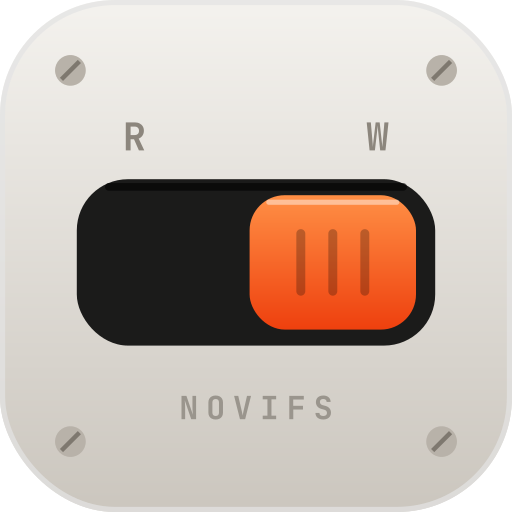
Read or Write. One click.
Every NTFS drive gets a switch. Flip it to Read & Write and it works like any Mac drive, in NoviFS, Finder and every app. Write on connect does it the moment you plug in.
Features
Write to Windows drives, manage every drive side by side, and copy photos off your iPhone, without leaving NoviFS.
 NoviFSSeagate Expansion Drive
Windows drives
Every Mac can read a drive formatted on Windows. None can write to it. NoviFS adds its own NTFS file system, built on Apple’s FSKit: no macFUSE, no kernel extension, nothing to change in Recovery mode.
File manager
Browse, copy, rename and search every drive you plug in without opening Finder. NTFS, exFAT, FAT32, APFS, Mac OS Extended, USB sticks and SD cards.
NoviFSSeagate Expansion DriveSort by name, date, size or kind, or see every photo as a thumbnail.
Two drives in one window. Pick files on one side and click Copy, or drag them across.
Drag files onto any drive in the sidebar, or use ⌘C and ⌘V, with Finder too.
Right-click for Open With, Copy to, Rename, Compress, Get Info and Move to Trash.
Type to search the folder you're in. Press Return to search the entire drive.
Space opens a photo, video or document full size. ← → shows the next one.
iPhone
Plug in your iPhone, iPad or camera, unlock it and tap Trust. Its photos and videos show up in NoviFS, ready to go wherever you want.
NoviFSiPhoneClick photos to pick them, double-click to see one full size, or drag them onto a drive, a folder or Finder. Copying never removes anything from iPhone.
Photos and videos sorted by month. Double-click one to see it full size, then ← → through the rest.
Copy keeps them on the iPhone. Move asks first, then deletes each one from the phone only after its copy is checked.
Pick a folder under Copy to, including NTFS drives and SD cards, or drag photos onto Finder or a drive.
Turn HEIC photos into JPG on the way, so a Windows PC opens them. Photos already copied are skipped.
Apple only lets Mac apps reach an iPhone’s photos and videos, so other files on the phone don’t appear.
Features & safety
NoviFS checks before it copies, and tells you plainly when something can’t go where you asked.
NTFS · The switch
Every NTFS drive gets a switch. Flip it to Read & Write and it works like any Mac drive, in NoviFS, Finder and every app. Write on connect does it the moment you plug in.
Apple FSKit
NoviFS's NTFS file system runs on Apple's own framework. No macFUSE, nothing to change in Recovery mode.
FAT32
FAT32 can't hold a file of 4 GB or more. NoviFS checks before copying, copies the rest and lists what stayed behind.
Free space
If the files won't fit, NoviFS says so before it starts, not halfway through.
Stop
Stop a copy whenever you like. The file that was on its way is cleaned up, never left half-written.
Unplug and eject
If a drive or card is unplugged while copying, NoviFS stops and tells you straight away. Eject waits for running copies to finish first.
Moving files
Originals are deleted only after they've been copied. Anything skipped stays right where it was.
Download NoviFS and plug in a drive, a card or your iPhone. Writing to NTFS drives needs a license: buy one when you’re ready.